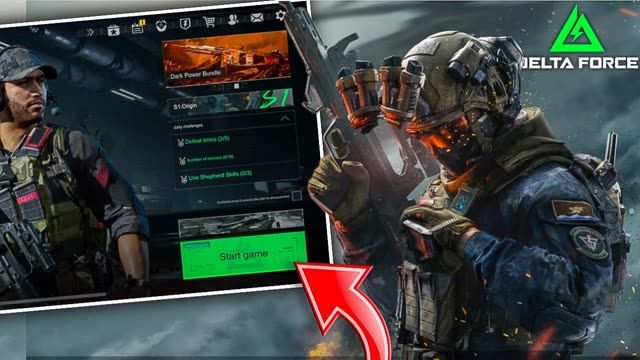
Delta Force Mobile, published by Garena in its regions, launched worldwide on 21 April 2025 after more than 25 million pre-registrations. It is a big, demanding game, and it shares your progress with the PC version, which surprises a lot of players. Here is what your phone needs, how the PC and mobile link works, and how to get it running smoothly.
Phone requirements
These are the published minimum and recommended specs, as reported at launch:
- Android, minimum
- Android 7.1 or later, a Snapdragon 450 chip or similar, 4 GB of RAM and 7 GB of free storage.
- Android, recommended
- Android 10 or later, a Snapdragon 7s Gen 3 or better, 8 GB of RAM and 15 GB of free storage.
- iPhone, minimum
- iPhone 7 (A10 chip, 2 GB of RAM) with 10 GB of free storage.
- iPhone, recommended
- iPhone 12 (A14 chip, 4 GB of RAM) or newer, with 10 GB of free storage.
Tip The minimum specs get the game running, not running well. For Warfare, with large battles, vehicles and explosions everywhere, aim for at least the recommended specs.
Cross-progression between PC and mobile
On Garena servers, your Delta Force account is shared between the mobile and PC versions. Garena says the Garena version is the only one that supports progress sharing between mobile and PC in its publishing regions. In practice:
- Log in with the same Garena account on your phone and on PC, and your progress syncs.
- This only works with the Garena version. The Steam version of Delta Force is separate.
- Garena ran a transfer from Steam to Garena between 4 April and 30 June 2025. That window has closed.
- During that transfer, one Steam account could only be linked to one Garena account, and the Garena account had to have no existing character data.
Garena talks about shared progress, not shared matchmaking. It has not clearly confirmed whether mobile and PC players meet in the same matches, so do not count on cross-play.
Controller support
Delta Force Mobile does not support controllers. Controllers work on the PC version, but on mobile you play with touch controls. Some players use clip-on physical triggers that press the screen for them.
Tip Avoid third-party apps that map a controller to the touchscreen. Using them can get your account banned.
Getting smooth FPS
- Pick the highest frame rate your phone can hold steadily, then lower graphics quality until it stops dropping frames. Steady FPS matters more than detail in a shooter.
- High frame rates (90 and 120 FPS) are only offered on supported phones. If the option is missing, your device is not on the list yet.
- Download the map packs over Wi-Fi in the downloads settings, so the game does not stream them during matches.
- Phones throttle when they get hot. Remove thick cases, do not charge while you play, and close other apps.
- Season 11 added a mobile setting to keep moving while the backpack or map screen is open, which is worth turning on.
For a full tour of the menus, see Delta Force Mobile settings in English, and for what is new right now, Season 11 Reorientation.
FAQ
What are the minimum requirements for Delta Force Mobile?
Android 7.1 with 4 GB of RAM and a Snapdragon 450 or similar, or an iPhone 7 or newer. You need 7 to 10 GB of free storage.
Does Delta Force Mobile share progress with PC?
Yes, on Garena accounts. Log in with the same Garena account on both. The Steam version is separate.
Does Delta Force Mobile support controllers?
No. Mobile uses touch controls only. Apps that map a controller to the screen can get you banned.
Is there cross-play between Delta Force Mobile and PC?
Garena confirms shared progress, but it has not clearly confirmed shared matchmaking between mobile and PC.
Sources
- Esports.net: Delta Force Mobile minimum and recommended requirements
- Garena Delta Force: FAQ, Steam to Garena Delta Force transfer service
- Garena Delta Force: Garena to publish Delta Force on mobile and PC
- Sportskeeda: Does Delta Force Mobile have controller support?
- Barchart: Delta Force Mobile launches April 21 after 25 million pre-registrations
Written by Zibno from the sources listed above. I update this page when something official changes.