 Watch the video on YouTube
The Chinese version of Delta Force Mobile runs very well: no overheating and no frame drops in my testing, and it supports up to 144 FPS on phones that can handle it. Here is everything translated, from the login screen to the last settings tab.
Logging in
You need a WeChat or QQ account, like other Tencent games. The login screen shows a QR code for each. If you do not have an account, a friend who does can scan the code for you. The top left corner of the login screen has the option to download maps.
The two modes
- Beacon (extraction) mode
- You bring gear into the match, open boxes, search for supplies and fight other players for resources. The more you extract, the richer you get.
- All-out Battlefield
- Large attack and defense warfare with vehicles, capture points and constant fights.
The lobby
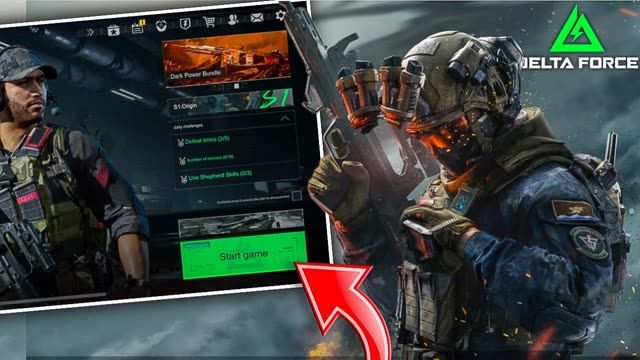
- Bottom right: Start, and above it the game mode picker and completed missions.
- Season 1 is called Origin, with its battle pass and rewards.
- Top: settings, mail, friends, shop, battle pass, the in-game market, events and collections.
- Bottom left (Battlefield): vehicles, operators and loadouts.
- Bottom left (Beacon): gunsmith, black site, operators, auction house and storehouse.
- Top left: your profile and social links.
Settings, section by section
The first option switches between the Beacon and Battlefield setting sets.
Tip Most pages are split in two: the left side is for Beacon mode and the right side is for Battlefield. When you change something, change it on both sides.
- Basic
- Aim assist (on by default), scope behaviour, heavy weapons like shotguns and snipers, perspective toggles and sprint options.
- Controls
- Gyroscope, sensitivity and fire button placement.
- HUD layout
- A separate custom layout for each mode. Press the green button to save before you leave.
- Sensitivity
- Separate values for both modes.
- Gameplay
- Pickup rules. On the Battlefield side also vehicle sensitivity and vehicle FOV.
- Comms
- Marking and quick messages, for both modes.
- Graphics and sound
- The important one. Turn on 144 FPS here if your phone supports it, and set graphics quality.
- Vehicles
- Vehicle HUD, sensitivity and gyro steering if you like to drive with gyro.
- Downloads
- Download map assets over Wi-Fi or mobile data.
Written by Zibno, based on my video. Settings can change with game updates.