 By
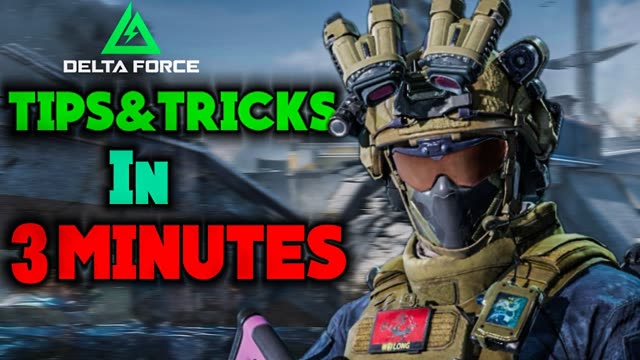
Warfare is the big-battle mode of Delta Force. The first thing to understand is that it is not a battle royale. It is 25 players against 25, built around capture points and objectives, and running blindly into the action gets you taken out fast. These are the tips I use to stay alive longer and actually help my team win, written out from my video, plus the peek setting you should turn on before your first match.
1. Learn the map
Map knowledge is the base of everything in Warfare. Every map has its own layout, objectives and choke points, and the players who know them win more fights before they even fire. When you play a map, pay attention to three things:
- High ground: it gives you better visibility and a stronger position over the points below.
- Cover spots: places where you can stand and fight while staying protected.
- Common routes: the paths enemies use most often to reach an objective. Watch those and you will see enemies before they see you.
Use fortifications too. You can build cover for yourself, which helps you hold a position and pick better fights. New maps arrive with seasons, like The Mog in Season 11 "Reorientation", so expect to learn a new layout every so often.
2. Work with your team
If you play with friends, talk. Coordinate your movement, call out enemy positions and push objectives together. A squad that moves as one wins far more fights than five players spread around the map.
With random teammates, do not count on communication. Some players will never answer. Instead, play the objective yourself or support whoever is already on it.
3. Play the objective
In objective modes, capturing and holding control points is what wins the match. Kills that do not help the mission are a distraction, so avoid random firefights away from the points.
- When defending
- Spread out to cover more than one approach, but stay close enough to support each other.
- When attacking
- Use smoke grenades or suppressing fire to push forward, and pick your position so you are never fully exposed.
Tip A strong pattern: hold a point and let the enemy come to you. Peek from cover, shoot, then pull back before you take damage you do not need to take.
4. Flank
Try to hit enemies from the side or from behind. A good flank breaks up their formation and gives you a big advantage. Stay unpredictable, and remember the enemy is trying to do the same thing to you, so keep checking your surroundings.
5. Pick a loadout for your play style
- Close range
- Operators like Stinger and Toxik with SMGs are strong in fast, close fights.
- Long range
- D-Wolf is a great pick for precision and faster movement in long-distance fights.
- Attachments
- Scopes for long-range visibility, suppressors for stealth, and extended magazines for longer fights.
6. Fight smart
- Do not stand still. Strafe and move unpredictably so you are harder to hit.
- Peek from cover, engage briefly, then retreat. You keep your health and outlast players who stand in the open.
- Use grenades on purpose: smoke to cross open ground or confuse enemies, frag grenades to clear rooms and tight spaces.
7. Use sound
Footsteps, reload sounds and voice lines give away enemy positions. Play with headphones. It is one of the easiest advantages you can get, and on a phone speaker you miss most of it.
8. Watch your surroundings
Keep an eye out for enemies trying to flank or sneak up behind you. Peek around corners carefully to scout without exposing yourself, stay alert in open areas, and always know where your next piece of cover is.
9. Practise and adapt
Getting good at Warfare takes practice. Learn from each death, refine what works, and adjust to your team and the map. Put these tips together and you will survive longer and help your team win more matches.
Turn on peek in Delta Force Mobile
Several of the tips above depend on peeking from cover, and on mobile the peek buttons are switched off by default. To turn them on:
- Open the settings menu.
- Go to the Controls section.
- Find the peek setting. It is off by default.
- Turn it on. The peek buttons now appear on your HUD, and you can move them in your custom layout.
If your game is the Chinese version, my Delta Force Mobile settings in English guide explains every settings tab.
A note on third-person (TPP)
A third-person perspective has been shown for Delta Force Mobile, with an over-the-shoulder camera, a wider view and easier peeking from cover. My view: it should be its own separate mode, not part of ranked or the main matchmaking. The Delta Force community is built around first-person tactical combat, and splitting lobbies between first and third person has hurt matchmaking and balance in other mobile shooters. Keep them apart and both kinds of player get fair matches.
FAQ
Is Delta Force Warfare a battle royale?
No. Warfare is a large 25 vs 25 mode built around capturing and holding objectives, not a last-team-standing battle royale.
How do I turn on peek in Delta Force Mobile?
Open settings, go to Controls, find the peek setting and turn it on. It is off by default. The peek buttons then show on your HUD.
Which operator is best for close range in Warfare?
Stinger and Toxik with SMGs work well in fast close fights. For long range, D-Wolf is a strong choice.
How do I get better at Warfare quickly?
Learn the maps, play the objective instead of chasing kills, peek from cover, and use headphones so you can hear enemies coming.
Written by Zibno, based on my video. Settings can change with game updates.