 By
Three settings cause most of the questions I get about Valorant Mobile China: where the gyroscope is, why the fire button makes your agent crouch on its own, and what the one big button in the graphics tab does. Here are all three, step by step, from my videos.
How to turn on the gyroscope
Gyroscope aiming lets you aim by tilting your phone, which is much finer than swiping for small corrections. To turn it on:
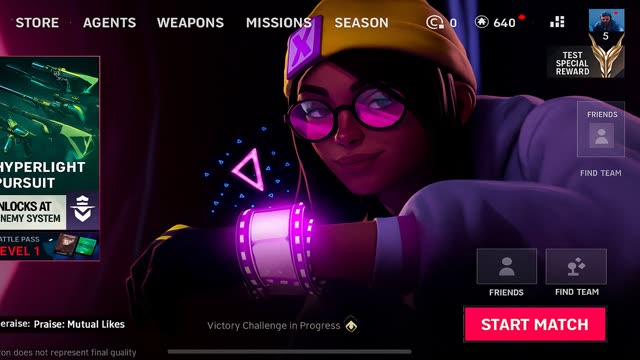
- From the lobby, open the settings. If you cannot find the button, it is the box icon next to your profile, see my lobby guide.
- Open the gyroscope menu. It has two tabs: screen swipe settings first, and gyroscope settings second.
- Tap the gyroscope settings tab.
- Pick one of the three options.
- Adjust the gyroscope sensitivity at the bottom of the page.
- Gyroscope off
- You aim only by swiping.
- Gyroscope on scope only
- The gyroscope works only while you aim down sights.
- Gyroscope always on
- The gyroscope works all the time, scoped or not.
Tip New to gyro? Start with "on scope only" and a low sensitivity, then raise it a little at a time in training mode. Keep swiping for big turns and use the gyroscope for small corrections.
Fire button crouches or scopes by itself? Here is the fix
If you just started the Chinese version, this has probably happened to you: you tap the fire button on the right and your agent crouches and fires at the same time, and your aim feels off. That is the fire button mode, and you can change it in a few seconds:
- Open training mode.
- Tap the wrench icon.
- Choose the fire button mode you want from the options.
- First option
- Simple fire only. No auto crouch and no auto scope. This is the fix if your agent keeps crouching.
- Second option
- Fires and opens the scope together.
- Third option
- Crouches and fires together.
- Last option
- Fire, scope and crouch, all with one tap.
The combined options are great for two-finger players, because one thumb does several jobs at once. If you play with three or four fingers, simple fire usually feels best, since you already have a finger for crouch.
This works alongside smart fire, which you can set per weapon class in the basic settings. I explain that in Valorant Mobile basic settings explained.
Graphics settings and Pure Focus mode
The graphics tab is short, but the first option changes everything else on the page.
- Pure Focus mode
- Turn it on and the game sets graphics, frame rate and resolution for you, tuned to your phone. You do not need to touch anything else. It is the easiest way to get smooth performance.
- Pure Focus off
- Now everything is up to you. You can change the graphics quality and raise or lower the frame rate yourself, for full control.
- Screen adjustment bar
- Just below. If your phone has a notch or an unusual screen shape, you can stretch or shrink the game to fit.
- Frame rate display
- Shows your FPS on screen while you play.
Tip Leave Pure Focus on unless you know what you want to change. If you turn it off, turn on the frame rate display too, so you can see whether your settings hold a steady FPS in real matches.
FAQ
How do I turn on gyroscope in Valorant Mobile China?
Open settings from the lobby, go to the gyroscope menu, tap the gyroscope settings tab, and choose "on scope only" or "always on". Sensitivity is at the bottom.
Why does my agent crouch when I fire in Valorant Mobile?
The fire button is set to crouch and fire. Open training mode, tap the wrench icon and choose the first option for simple fire only.
What is Pure Focus mode in Valorant Mobile?
A graphics option that sets graphics, frame rate and resolution automatically for your phone. Turn it off to set them yourself.
How do I show FPS in Valorant Mobile?
Turn on the frame rate display option in the graphics settings.
Written by Zibno, based on my video. Settings can change with game updates.